When to use
One-size-fits-all automation ignores personal risk tolerance and task stakes; users also need clear allow/deny moments when the agent expands into a new folder, tool, or consequential action.
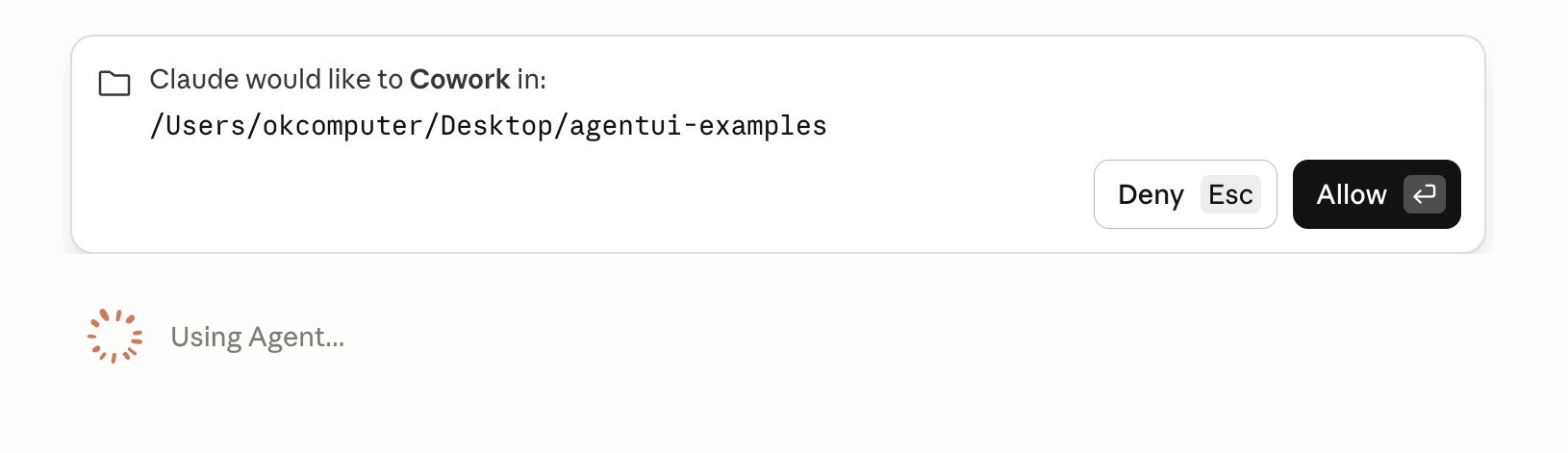
Example scenario: Cowork agent requests access to a new project folder mid-run; user sees Allow / Deny with the path before sub-agents continue.
Anatomy
UI pieces that make this pattern recognizable.
- Mode or profile selector (e.g. Ask / Plan / Agent)
- Per-capability toggles: files, terminal, network, external messages
- Default-deny for high-impact domains
- Runtime consent gate: contextual card naming the resource (path, command, payment) with Allow / Deny and keyboard shortcuts
- Optional remember-for-workspace or allow-once vs always for that scope
- Blocked state until the user decides (agent pauses; no silent continue)
Guidance
Do
- Make the current mode visible in the composer at all times
- Increase autonomy only after successful supervised runs
- Show the full scope being granted (e.g. directory path in monospace), not vague 'access files'
- Use one gate per decision; batch unrelated permissions into a single clear card when possible
Avoid
- Never hide auto-run that executes destructive commands
- Avoid a single vague 'AI on/off' toggle with no granularity
- Do not stack multiple consent dialogs without summarizing what is being allowed
- Do not grant broad filesystem or network access without naming the boundary
Limitations
When this pattern adds friction or fails to help.
- Frequent consent gates cause alert fatigue; users may click Allow without reading
- Per-domain toggles are hard to discover for casual users
- Remember-for-workspace grants can be broader than users intend
Build notes
Implementation hints for engineers shipping the pattern.
- Persist permissions per workspace or project
- Log permission level used for each action in the audit trail
- Map runtime gates to policy (ask every time, first access only, allowlisted commands)
- Support allow-once, allow-for-session, and allow-for-workspace where the OS or product allows
Examples
Annotated screenshots from production products, with designer critique.
Claude Cowork
Folder consent gate
Context
Before sub-agents continue, Cowork blocks on an inline card naming the folder path with Deny and Allow—runtime consent when scope expands beyond the current grant.
What works
- Names the exact resource (path) being requested
- Hard stop until decision—no silent continuation
- Pairs policy with a concrete, reviewable moment
What to improve
- Repeated gates across sessions need remember-scope affordances
- Multi-folder batching could reduce fatigue
Takeaway: Runtime consent gates should read like security dialogs, not marketing copy.
v0
SQL tool approval gate
Context
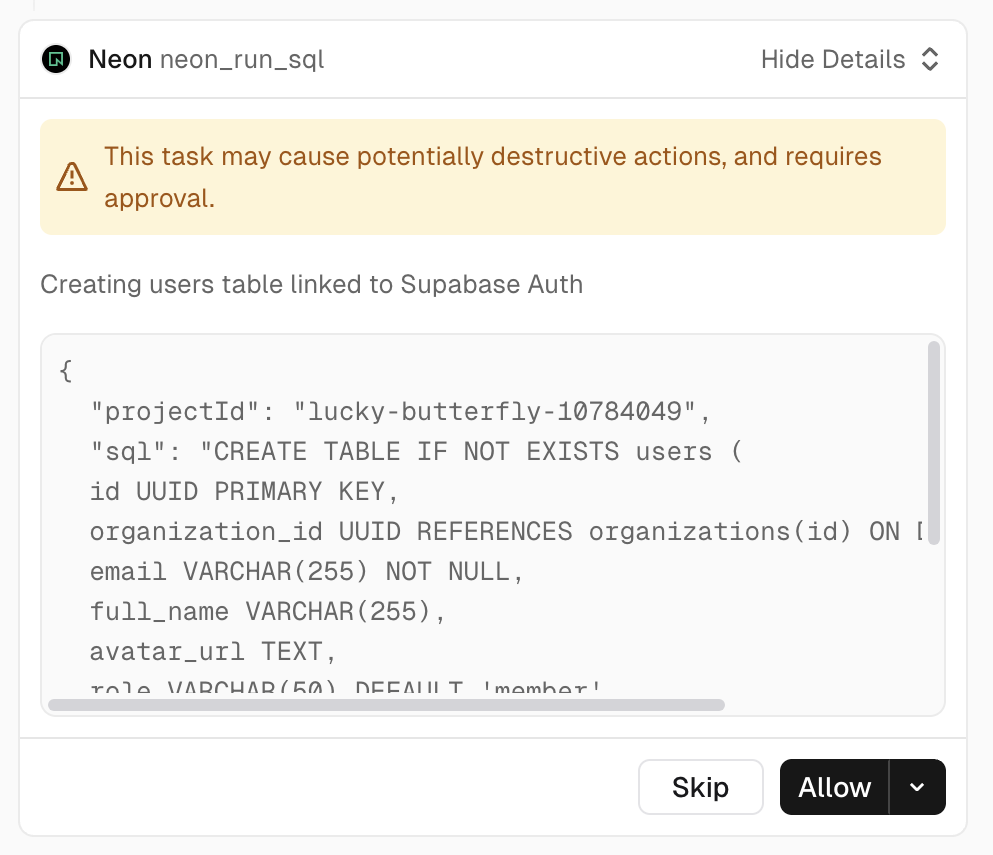
Before running SQL against Neon, v0 surfaces a tool card naming the integration, warning about potentially destructive actions, showing the exact SQL payload, and requiring Allow or Skip.
What works
- Destructive-action warning is visible above the fold
- SQL preview lets users verify scope before Allow
- Skip preserves a safe default when uncertain
What to improve
- Long SQL blocks need better truncation with expand
- Allow dropdown should explain remember-scope options
Takeaway: Codegen agents should treat database writes like production deploys—named tool, visible payload, explicit consent.