When to use
Users fear irreversible agent changes to code, data, or live systems.
Example scenario: Replit-style split: agent edits left, working app preview right before deploy.
Anatomy
UI pieces that make this pattern recognizable.
- Split view: agent work + live preview
- Promote to production as explicit step
- Environment badge (sandbox / staging)
Guidance
Do
- Make environment visually distinct (banner, color)
- Run realistic fixtures, not empty mocks
Avoid
- Do not let preview diverge from production behavior
Limitations
When this pattern adds friction or fails to help.
- Sandbox drift from production config produces false confidence
- Split views are expensive on small screens
- Users may promote without reviewing when preview 'looks fine'
Build notes
Implementation hints for engineers shipping the pattern.
- Isolate credentials and data per sandbox
- Pair with checkpoint rollback on promote failure
Examples
Annotated screenshots from production products, with designer critique.
Lovable
Preview placeholder before first build
Context
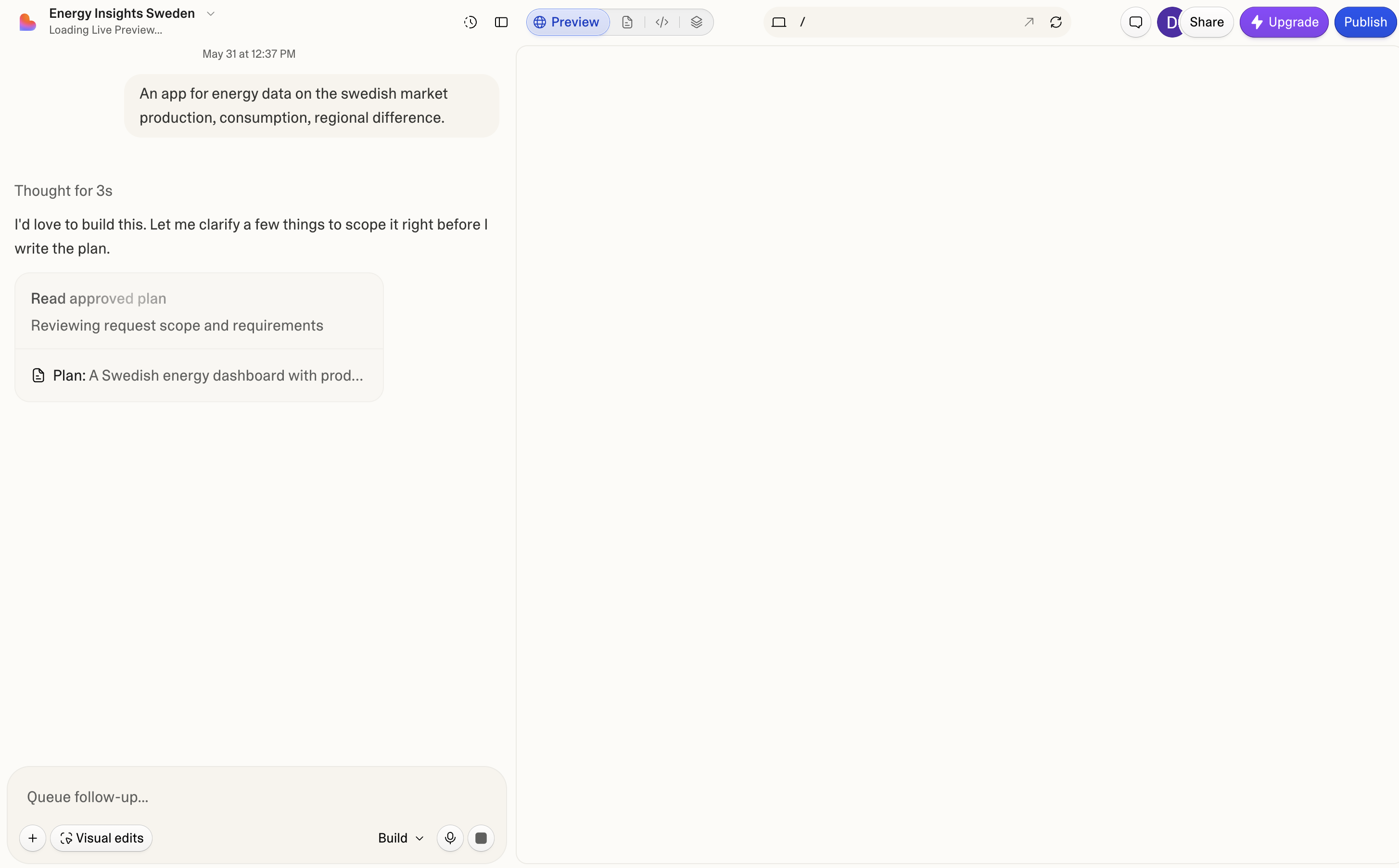
Before the first artifact renders, Lovable keeps the preview pane open with a Loading Live Preview status while the agent scopes the build in chat—Publish stays visible but gated until a working preview exists.
What works
- Preview tab is active before first paint—layout is ready
- Loading status in the header names the wait state explicitly
- Agent plan and scope review stay visible beside the empty pane
What to improve
- Blank white pane can read as broken without the header status
- No skeleton or wireframe preview during planning
Takeaway: Pre-build sandbox UIs should label in-progress preview states—loading is not the same as empty or failed.
Claude
Interactive preview after build
Context
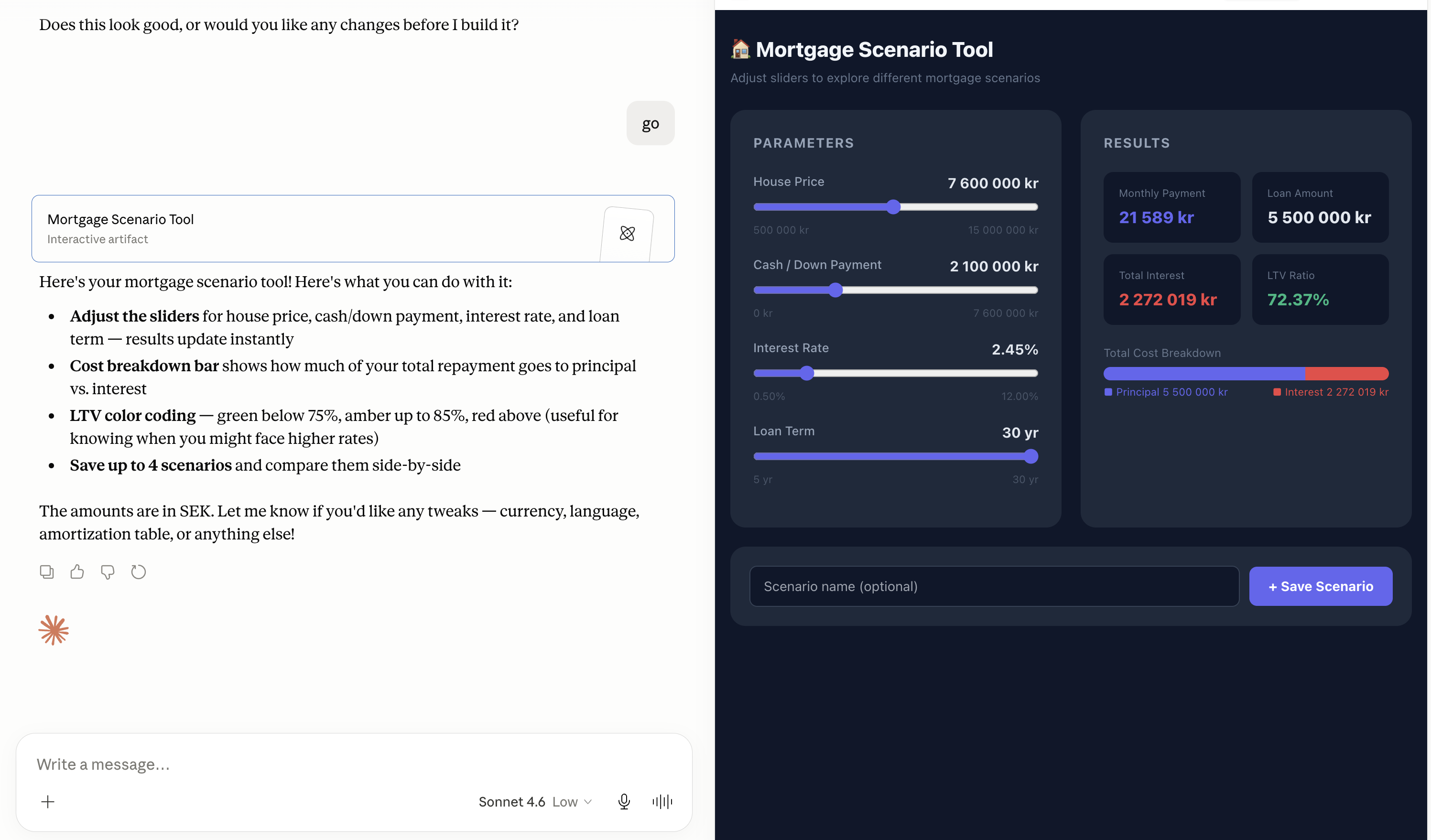
After codegen completes, Claude opens the deliverable in a dedicated artifact pane—here a Mortgage Scenario Tool with sliders, LTV coloring, and scenario saving—while the chat transcript stays on the left.
What works
- Built artifact is fully interactive without leaving the thread
- Chat card links to the open preview for orientation
- Complex UI stays sandboxed from the main app shell
What to improve
- No explicit promote step—artifacts feel ephemeral vs deployed apps
- Split view collapses on narrow viewports
Takeaway: Post-build preview is the trust checkpoint—users inspect the artifact before sharing or iterating.